
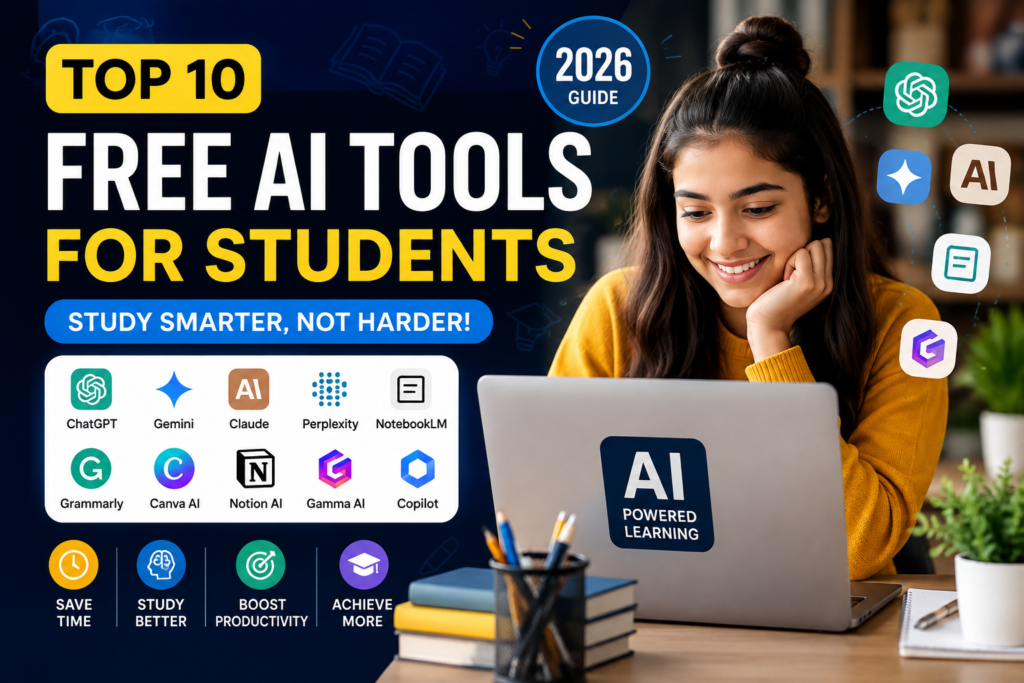
Free AI Tools for Students: 10 Best Apps in 2026
Free AI Tools for Students Studying Writing, Research, Productivity, and Learning: Your Ultimate Toolkit. Tools can make studying, research, writing, and everyday academic work much easier. From creating study notes and understanding difficult topics to improving writing and organizing ideas, AI tools can help students save time and learn more effectively.
Whether you study for exams, write up assignments, make notes or presentations — the right AI can essentially change how we learn.
The good news?
Free AI Tools for Students: though many of them offer FREE capabilities to everyone, the only question is how they compare with each other as well! There are several Free AI Tool Providers today, and most people who get their hands on them are fascinated by their powerful features, even without being paid subscribers.
In this guide, we’ll explore the Best AI tools for students, explain how they can improve your learning experience, and help you choose the right tool based on your needs.
AI tools are now needed more than ever by students:
Let’s be honest.
You are a student today; it isn’t an easy job.
Assignments pile up. Deadlines come faster than expected. Research takes hours. And at times, it seems the only way to not feel stupid is by understanding a harder concept.
Many students struggle with:
- Finding reliable information
- Writing better assignments
- Managing study time
- Creating presentations
- Taking organized notes
- Staying productive throughout the day
This is where the latest AI tools for study can be invaluable. This does not replace learning but helps you learn faster, stay organized, and focus on what matters: getting an understanding of the subject.
Why Trust Digital Growth Deck?
The mission of Digital Growth Deck is simple. Our guides cover practical and non-expert-level information about AI tools or digital marketing that can be easily understood by the common man.
No technical jargon that obscures the truth — just actual use cases, candid reviews, and sensible recommendations.
As a Student, Freelancer, Content creator, or newbie, our aim is to help you pick the right tools with confidence.
📌 Continue exploring our AI resources: https://digitalgrowthdeck.com/category/ai-tools/
10 Free AI Tools for Students
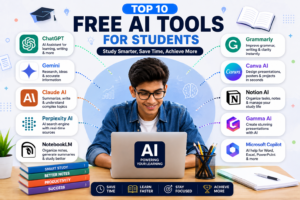
1. ChatGPT
ChatGPT is still one of the most popular AI-Powered Assistant that Students uses.
Ideal for STEM (Science, Technology, Engineering, Maths) explainers, creating study notes, brainstorming, writing academic answers, etc.
Best Features
- Assignment assistance
- Note summarization
- Grammar improvement
- Coding help
- Study planning
Best For:
Anyone who needs a student AI learning assistant in one place.
2. Google Gemini
Gemini is integrated with Google Workspace and can provide accurate answers for research, brainstorming, and learning.
This is particularly convenient if you regularly use Google Docs, Gmail, and/or Google Drive.
Best Features
- Research assistance
- Document support
- Image understanding
- Google ecosystem integration
Best For:
Conducting Research Projects and Presentations by Students.
3. Claude AI
Claude AI is famous for giving deep and human–like answers. It is really great at summarizing long documents, explaining complex concepts, and writing paragraphs.
Best Features
- Long document analysis
- Writing support
- Creative brainstorming
- Natural conversations
- Website building also
Best For:
Students writing reports, essays, and research papers.
4. Perplexity AI
Perplexity AI is an ideal tool for searching for the information that you can trust, combining regular web search with artificial intelligence. However, unlike traditional search engines, it provides answers with cited sources. As a result, students can verify information more easily and confidently.
Best Features
- Real-time information
- Source citations
- Fast research
- Easy-to-read answers
Best For:
Students on research or project prep.
5. NotebookLM
NotebookLM — Google: It organizes notes, summarizes documents, and helps students interact with their learning material.
This makes it especially helpful when preparing for exams.
Best Features
- Smart note summaries
- Study organization
- Personalized learning
- Q/A based on your notes
Best For:
Students preparing for exams and managing multiple subjects.
6. Grammarly
Good writing can be the difference in assignments, emails, and reports. Grammarly helps students provide real-time grammar, spelling, punctuation, and clarity of sentences.
Best Features
- Grammar and spelling correction
- Tone suggestions
- Vocabulary improvement
- Writing clarity
Best For:
Students who regularly have assignments, reports, or emails to write.
7. Canva AI
Canva AI helps you easily design presentations, posters, resumes, and social media graphics. This would even enable you to create professional-grade graphics within minutes.
Best Features
- AI presentation creation
- Magic Design
- AI image generation
- Templates for students
Best For:
Presentations, projects, posters, and resumes.
8. Notion AI
Notion AI brings all-in-one note-taking, task management, and AI assistance. Furthermore, it helps students stay organised with their studies while also improving their productivity.
Best Features
- Smart note organization
- AI writing assistant
- Task management
- Study planning
Best For:
Students in need of a structured digital workspace.
9. Gamma AI
Need A Fast Solution To Build Your Presentation? Gamma AI creates beautiful presentations that would have taken hours of manually doing the same task on PowerPoint!
Best Features
- AI-generated presentations
- Professional templates
- Fast editing
- Easy sharing
Best For:
College presentations and project work
10. Microsoft Copilot
Microsoft Copilot works with Word, Excel, PowerPoint, and other Microsoft apps, making it a useful productivity assistant for students.
Best Features
- Document drafting
- Excel assistance
- Presentation support
- Microsoft 365 integration
Best For:
Students who rely on Microsoft Office.
Quick Comparison Table
| AI Tool | Best For | Free Version |
|---|---|---|
| ChatGPT | Learning & Questions | ✅ |
| Google Gemini | Research | ✅ |
| Claude AI | Writing | ✅ |
| Perplexity AI | Fact-based Search | ✅ |
| NotebookLM | Notes & Revision | ✅ |
| Grammarly | Grammar | ✅ |
| Canva AI | Design & Presentations | ✅ |
| Notion AI | Productivity | ✅ |
| Gamma AI | Presentations | ✅ |
| Microsoft Copilot | Office Tasks | ✅ |
Benefits of Using AI Tools for Students
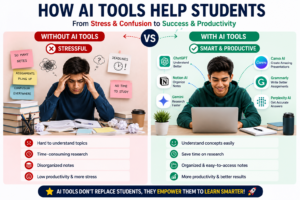
With the right AI tools at your disposal, you can:
- Save time while studying
- Understand difficult concepts faster
- Improve assignment quality
- Write better emails and reports
- Create professional presentations
- Organize notes efficiently
- Increase daily productivity
- Learn smarter—not harder
You are not a replacement for AI; you should think of it as your learning assistant.
How to Choose the Right AI Tool
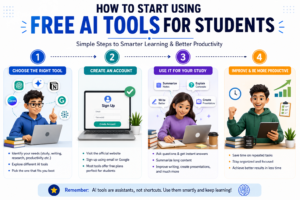
Selecting an AI tool is not as complicated as the charity space will develop into…
Step 1
Identify your biggest challenge.
- Need help studying? → ChatGPT
- Need research support? → Perplexity AI
- Need writing assistance? → Grammarly
Step 2
Start with the free version.
The majority of these tools have plenty of features available for free for students as well.
Step 3
Experiment for a few days. Try using each tool for one of your actual assignments or projects to see which fits best in your workflow.
Step 4
Build your own AI toolkit. To get the best results, many students use a combination of ChatGPT with Canva AI and Grammarly together.
Frequently Asked Questions
1. Are these AI tools free or something?
Yes. Each of the tools mentioned above provides free plans, though some have premium versions with more features.
2. What is the best AI tool for students?
ChatGPT — The best all-around choice out there. However, the best AI tool depends on your specific needs. For example, Perplexity AI is ideal for research, while Canva AI is better suited for creating presentations. Therefore, choosing the right AI tool can help you study and work more efficiently.
3. Can AI tools help a student to prepare for exams?
Absolutely. They can summarize the notes, clarify concepts, create a revision plan, and develop exam guide questions for giving effective experience in how to revise.
4. Are AI tools safe to use for learning?
Yes, absolutely. However, it’s important to use trusted platforms and verify important information from reliable sources. Furthermore, AI should support your learning rather than replace your critical thinking. In addition, using AI as a study assistant can help you learn more effectively while still encouraging you to evaluate information independently.
Final Thoughts
AI keeps advancing in ways that accelerate education, and student access to wise tools will be an essential advantage. From writing assignments and presentations to researching topics or increasing productivity, these Free AI Tools for Students help you learn faster while saving time.
At Digital Growth Deck, we ship pragmatic deep–dive guides on AI tools and digital marketing that meet the needs of beginners or learners who require reliable yet digestible information.
Keep searching, continue to learn, and use AI as a tool to construct more effective studying mechanisms — not shortcuts.
Ready to Explore More?
Looking for more AI guides and digital marketing tutorials?
👉 Explore more articles on Digital Growth Deck.